Your whole day in one window
Calendar Hub brings together Google Calendar, Gmail, weather and holidays. Open it and instantly see what you need to do today, what’s next, whether important emails are waiting, and what the weather will be.
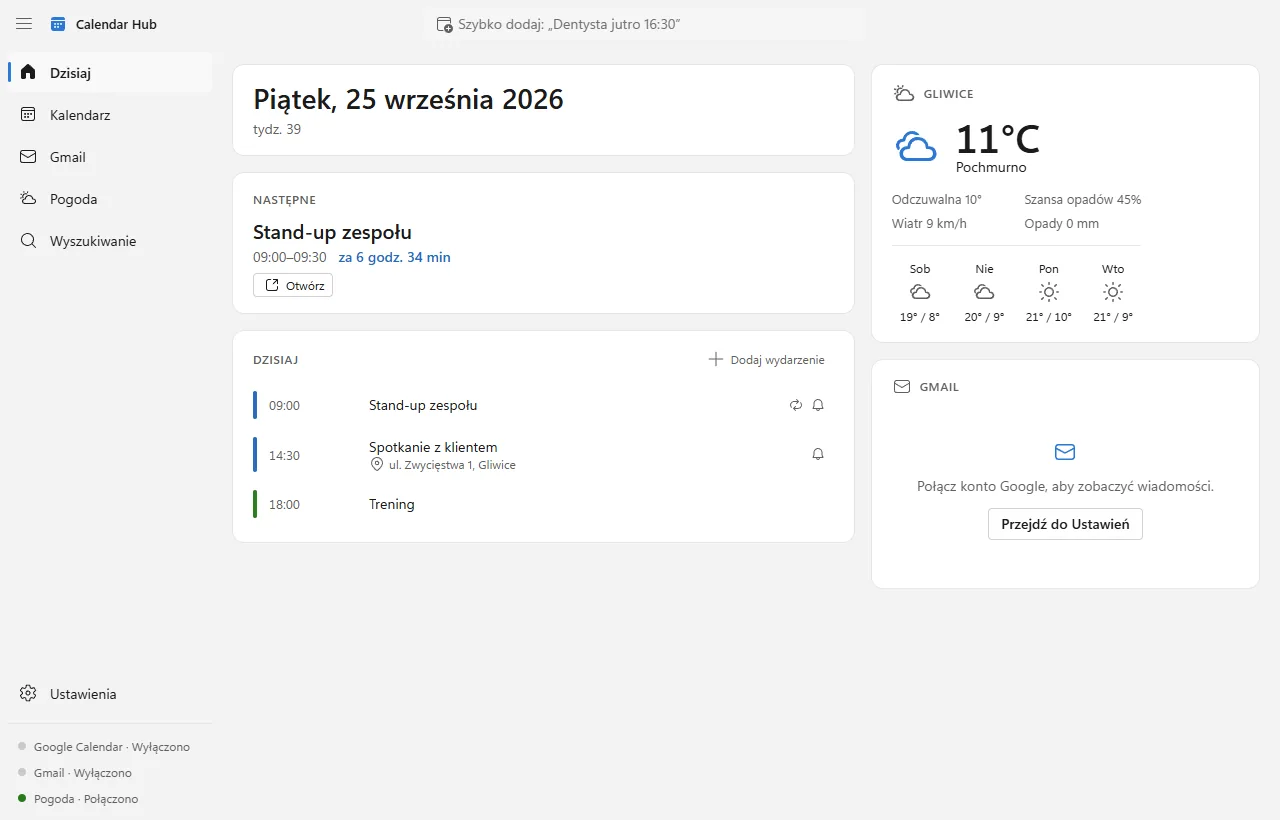
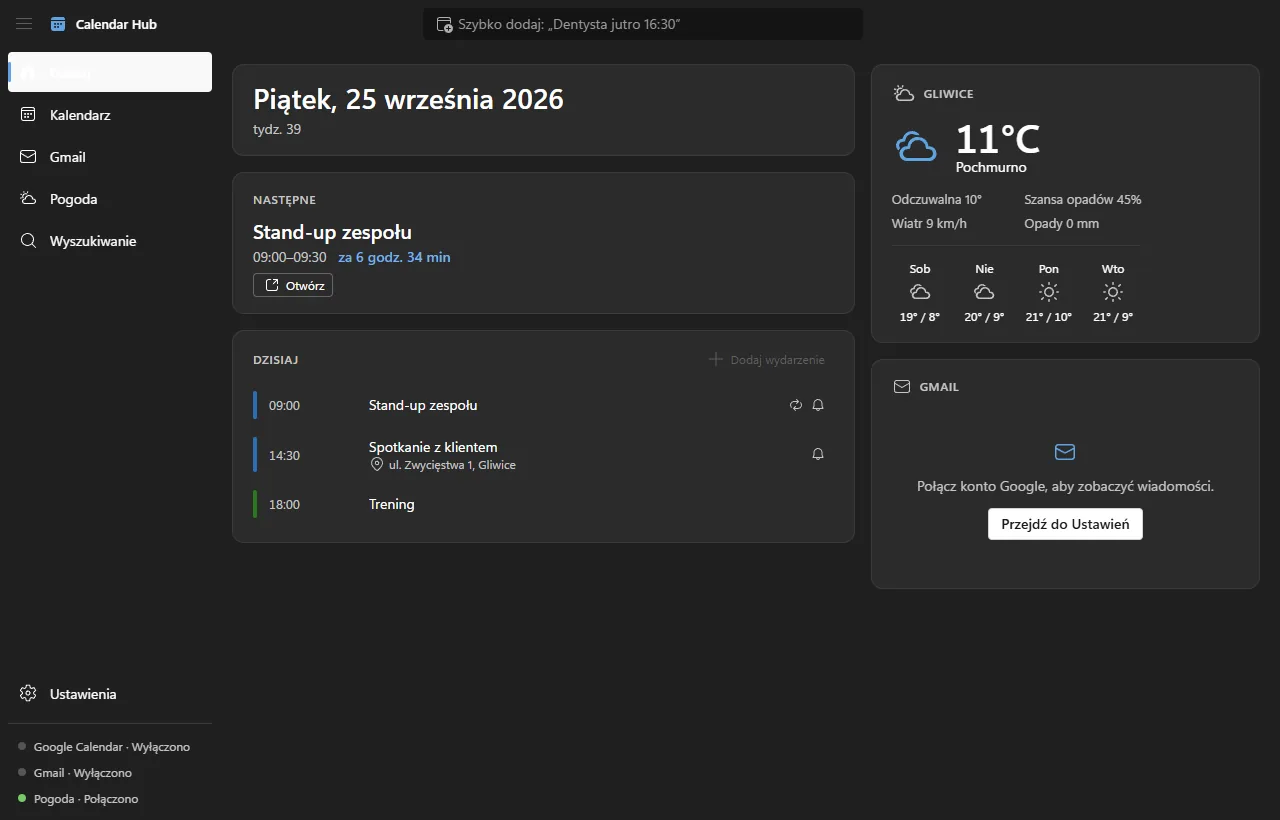
Four answers the moment you open it
No more switching between browser tabs, your inbox and a weather app.
What do I have today?
Today’s events from all your calendars, with locations and reminders.
What’s next?
Your next meeting highlighted at the top, with an “in 45 minutes” countdown.
Any important emails?
Your latest unread Gmail messages — one click to preview.
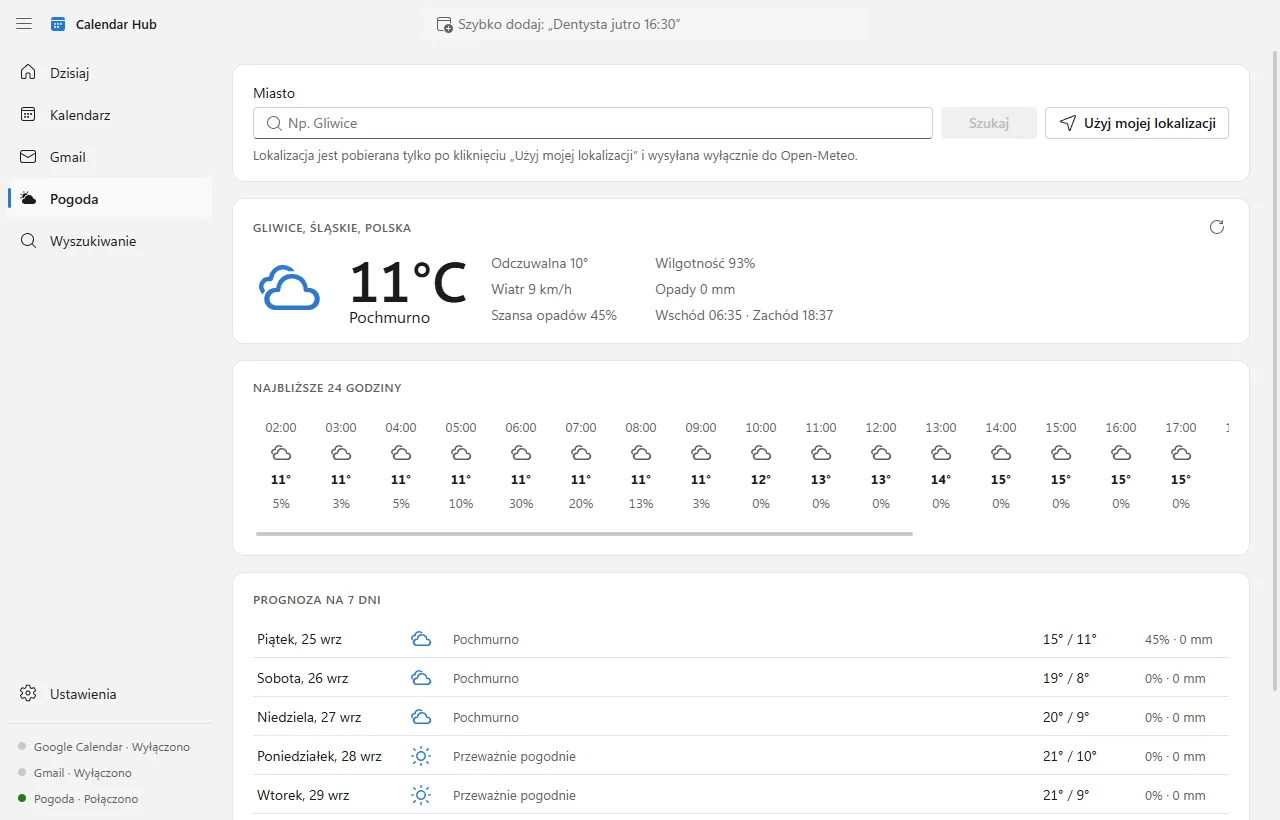
What’s the weather?
Temperature, feels-like, chance of rain and wind, plus the next few days.
Everything you need to organize your day
And nothing more. Every feature passes one test: does it help you plan your day faster?
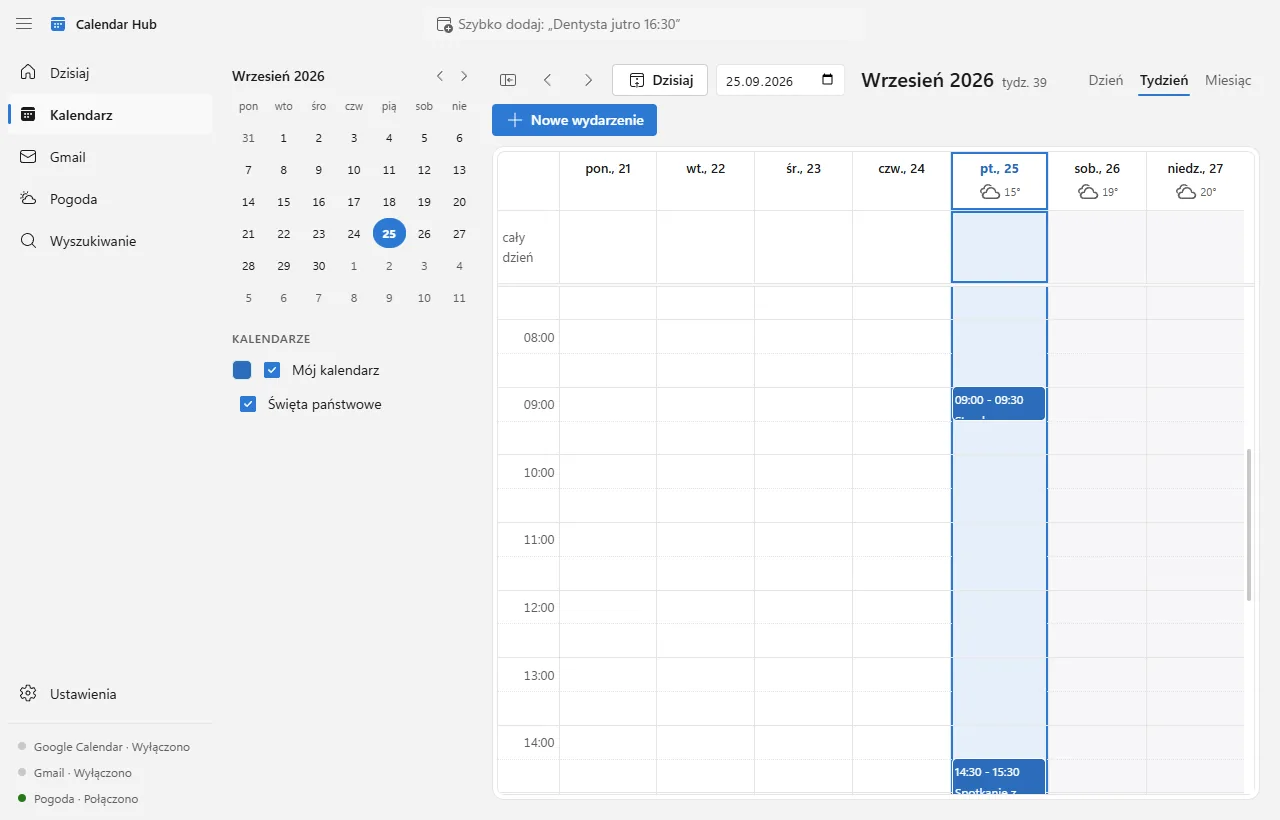
Day / week / month calendar
Clear views with today, weekends and the current time highlighted. Drag an event to reschedule it.
Google Calendar sync
Changes you make in the app go to Google and vice versa. If the same event is changed in two places, you choose which version to keep.
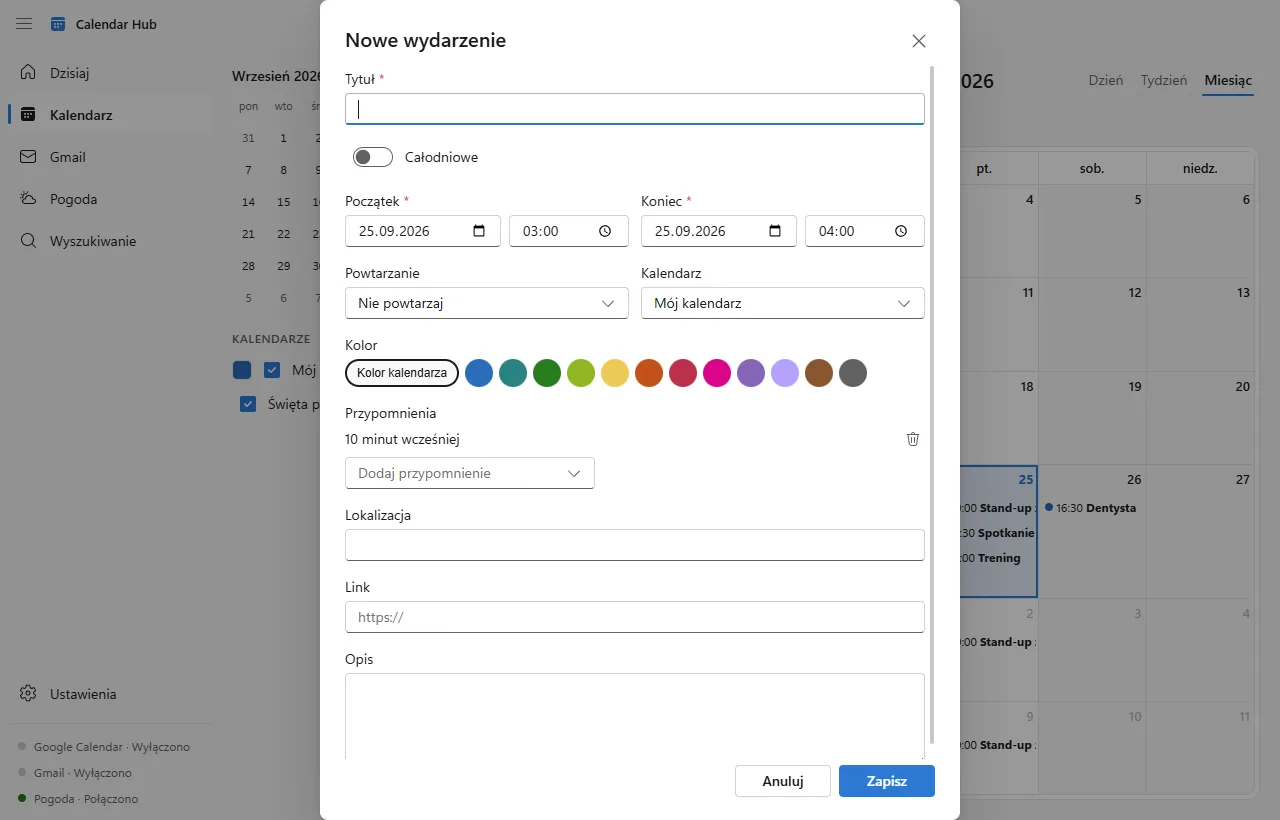
Quick add
Type “Dentist tomorrow 4:30pm” — Calendar Hub understands dates and times in English and Polish. You always confirm before saving.
Read-only Gmail
List, search and safely preview messages. Create an event from an email in one click and jump back to it from your calendar.
Windows reminders
Native notifications with “Remind me in 10 min”. They work even when the window is closed — the app waits in the system tray.
Weather and holidays
Hourly and 7- or 16-day forecasts from Open-Meteo, plus official public holidays for your country — even offline.
It looks like Windows 11. Because it should.
Fluent design, light and dark themes that follow your system, full keyboard support.
Your data stays with you
Calendar Hub has no server of its own. The app talks directly to Google and Open-Meteo and stores everything locally.
- No intermediary serverEvents and email metadata are stored only in a database on your computer.
- Gmail is read-onlyThe app never sends, deletes or changes messages. Email bodies are never written to disk.
- Your password never reaches the appYou sign in on Google’s own page. The access token is encrypted with Windows DPAPI.
- Location only with consentCoordinates are used only to fetch the weather and are sent only to Open-Meteo.
- No ads, no analyticsWe don’t collect usage statistics, and we never sell or share your data.
Which Google permissions the app requests
| Google Calendar — events | Show your events and save the ones you create or change in the app. |
|---|---|
| Google Calendar — calendar list | Read-only: calendar names and colors, so you can choose which ones are visible. |
| Gmail — read-only | List, search and preview messages and create events from emails. Requested only when you turn on the Gmail module. |
| Profile and email | Show which account is connected. |
Calendar Hub’s use and transfer to any other app of information received from Google APIs will adhere to the Google API Services User Data Policy, including the Limited Use requirements.
Calendar Hub on the Microsoft Store
One-click install from the Microsoft Store, automatic updates and a clean uninstall. Free, no account required, no ads — the local calendar, weather and holidays work right away, and you can connect Google later.
- Windows 10 or 11 (64-bit)
- Languages: English, Polish
- Free
Coming soon to Microsoft Store
The app is going through Microsoft certification. Want to hear when it’s available?
Notify meFrequently asked questions
Is Calendar Hub free?
Yes. The app is free and has no ads.
Where do I get the app?
Only from the Microsoft Store — it handles safe installation and automatic updates. We don’t publish installer files on this website.
Do I need a Google account?
No. Without an account you get a local calendar, reminders, weather and holidays. You can connect Google at any time in Settings.
Can the app send or delete my emails?
No. Calendar Hub asks Google for read-only Gmail access only. It is technically unable to send, delete or modify messages.
Where is my data stored?
Only on your computer, in %APPDATA%\Calendar Hub. The app has no server of its own. Your Google events also remain in your Google Calendar.
How do I disconnect and delete my data?
In Settings choose “Disconnect account” — the app revokes access at Google and deletes its local copy of your Google data. You can also revoke access at myaccount.google.com/permissions.
Does it work offline?
Yes. You see your last synced events and cached weather, and you can add and edit events. Changes are sent to Google when you’re back online.